

 JP
JP KL
KL MB
MB DB
DB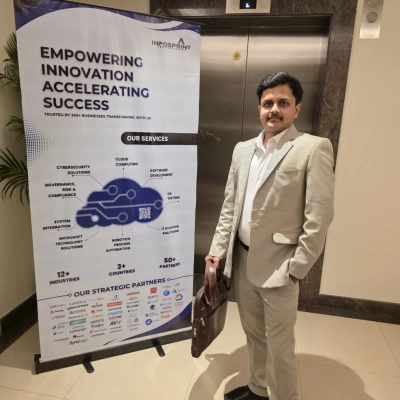
5 on the record this issue
Gate Releases By CO2e Optimize Models
Andrei BlajCo-founder, MedicaiWhen cloud bills rise, I decide cuts by measuring per-study energy in our continuous integration pipeline and blocking any build that exceeds a preset energy threshold. The single rule that saved us the most was making grams of CO2e per transaction a ship-or-not metric: if a build fails the gate it must be optimized before shipping. That rule forced concrete changes we could safely control, such as quantizing models to INT8, running inference at the hospital edge, and de-duplicating and tiering pixel storage to avoid unnecessary egress. Those steps cut GPU hours per study by roughly 30% and storage by roughly 25% while keeping clinical turnaround times and accuracy unchanged, and customers saw equal or faster response.
Set Deletion Rules For Idle Records
Setting up clear, specific guidelines for what to delete and when is one of the best things you can do for your cloud costs. One of the paradoxes with data right now is that it's so valuable for AI training, marketing analytics, etc. but it's also expensive to store. If you aren't tapping it for value, getting rid of it is probably the right choice, especially since it's also a cybersecurity liability.
Move Bursty Workloads To Serverless
Kevin LourdFounder, Distribute.youWhen our cloud bills for distribute started climbing, we had to figure out how to cut infrastructure spend without slowing down our AI outbound platform. The rule I use now to decide what gets cut or migrated is just looking at uptime requirements: if a process doesn't actually need to run continuously, it doesn't get a dedicated instance.
Early on, we were paying for always-on servers just to handle localized processing tasks. But outbound automation is naturally bursty. Usage spikes hard when our users send campaigns and drops to near zero overnight. The decision that meaningfully moved the needle on our bill was gutting that local processing setup and moving those variable workloads entirely to a serverless architecture. We just stopped paying for idle compute.
Shifting the bursty tasks to serverless meant the infrastructure naturally scaled down when things were quiet. It didn't hurt our delivery speed at all. It actually helped keep customers happy because the system automatically scaled up during their heaviest send times without us having to scramble to provision more resources behind the scenes.
Govern When Resources Run
Muskan BandtaCloud Associate, zopdevThe cheapest dollar to cut is the one nobody is using. A global FMCG leader running a SAP-heavy AWS estate had non-production cloud costs growing faster than production itself. Before any rightsizing or re-architecture work, we put their dev, staging, and UAT environments on automated schedules.
Within the first week, 81 schedules were running, 300+ non-prod resources were under governance, and the team was on track for a ~24% reduction in non-production cloud spend, with no agents installed, no application changes.
The single rule that made it work: govern when resources run, not how they are built. Most teams reach for production rightsizing first because that's where the bill is loudest. The real waste sits in places customers can't see, non-prod environments running 24/7, dev clusters idle on nights and weekends, orphan disks from old deployments. Those resources are invisible to customers by definition.
Starting with production rightsizing feels like the obvious move, but it's actually the riskiest dollar to cut. When you shrink a production VM, you're guessing whether the buffer is wasted space or the headroom you'll need for Tuesday's traffic spike. You don't really know until something breaks. Idle non-prod resources don't have that problem. If a staging environment is running at 3 am on a Saturday, no one is going to notice when you turn it off.
The real trade-off isn't between cost and reliability. It's between cutting in the right order and cutting in the wrong one.
Use Metrics To Rightsize And Downgrade
Divya Bahu DiwakarCloud consultant, Infopsrint TechnologiesFirst, I check Cost Explorer to view the usage of all the services and identify the services which are getting higher costs. Then I review and check if there are any underutilized resources such as Idle EC2 instances, Unused IPs, Unattached EBS Volumes and Over-provisioned resources by using AWS Compute Optimizer. This service provides right-sizing recommendations for EC2, RDS, EBS Volumes and Lambda functions.
In one case, I identified over-provisioned instances by using AWS Compute Optimizer. This provided the instance size recommendations to downgrade the instances. In CloudWatch, I checked the metrics for CPU Utilization, RAM and network performance to review the performance of these instances. Only after reviewing and monitoring the performance of the instances, I downgraded the instance size to reduce the costs. Before downgrading, we ensured that there would be no disruptions to the applications and users.